From a blank workspace to a live, tracked, tested landing page.
granvl is an AI-native landing page and paid ads workspace. You describe the work to an agent, and the agent creates the real funnel, page, or paused campaign inside your workspace.If you connect your own agent, MCP (Model Context Protocol) is the connection that lets it use granvl’s actual tools. It is the difference between an agent explaining how to build a landing page and building the landing page for you.
What to do. Sign in at app.granvl.com. Your workspace groups your funnels, domains, strategy, ad accounts, assets, and teammates.Why it matters. Workspace-level settings apply across every funnel and campaign, so this is the boundary for access, billing, guardrails, and shared resources.
2
Choose how you want to build
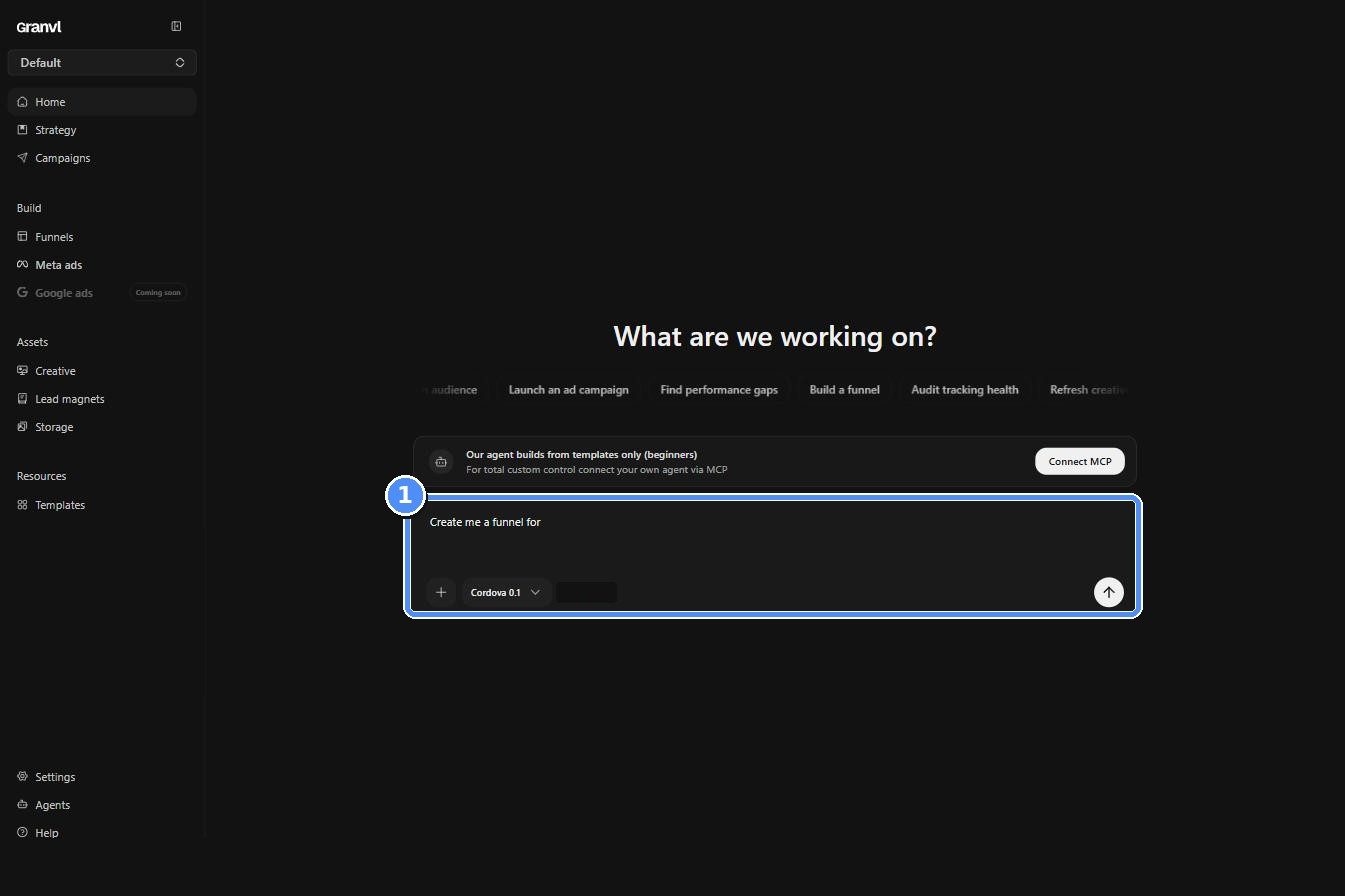
What to do. The fastest path is granvl’s built-in agent. Describe the offer and audience in the Home composer and let it create the first draft.For full control, connect your own agent over MCP and ask it to build the funnel. Either path produces real pages in the same workspace.Why it matters. You begin with a working draft instead of a blank canvas, while keeping the option to move between the built-in agent and your own agent.
Home: describe what you want to build in plain English
3
Fill in Strategy first
What to do. Under Strategy, add one Product, one ICP, and one Angle, plus a piece of real Research that supports the argument. Your agent adds reusable copy to Copywriting as it works.Why it matters. An empty Strategy tab produces generic copy by construction. A filled one gives the agent a specific audience, a real argument, and proof it can safely use.
Strategy: the Product is the root that ICPs, Angles, Research, and copy attach to
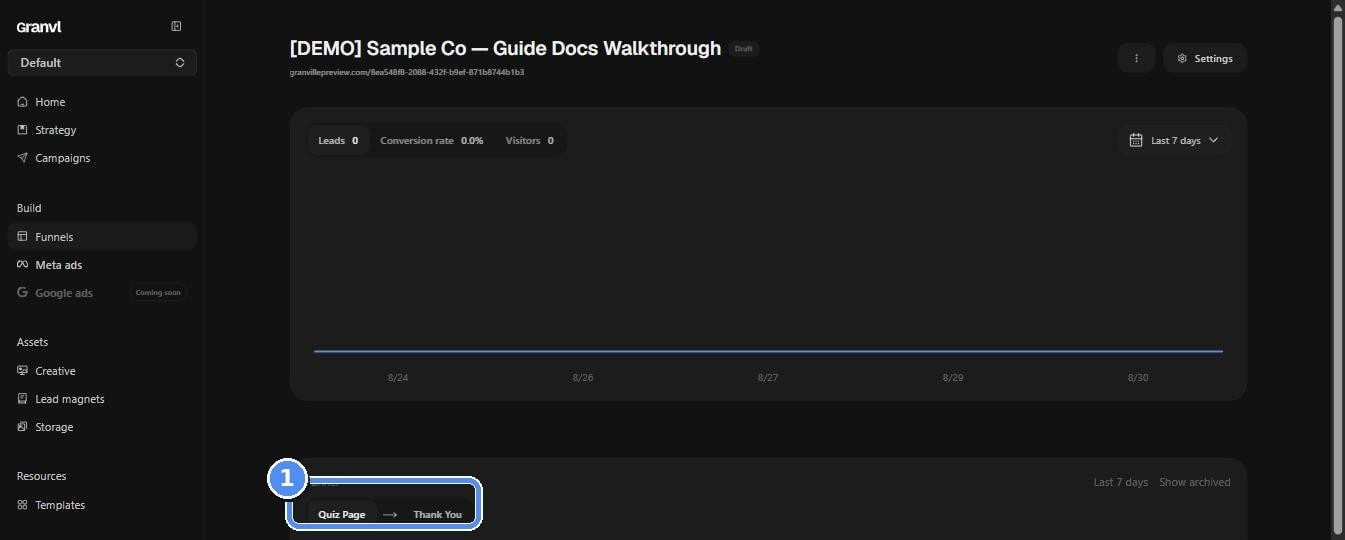
What to do. Ask your agent to create a funnel, start from a proven layout under Templates, or scaffold one from Funnels → New. A funnel can include a landing page, quiz, form, thank-you page, and lead magnet.Why it matters. The funnel is the container for one offer or campaign. Pages live inside it, and each page can hold multiple variants from the start.
A funnel opens as a flow of connected pages
5
Edit the page in plain English
What to do. Open a page and describe the change in chat: a stronger headline, a different CTA, a color change, or a new section. Use the desktop and mobile controls to inspect both layouts.Why it matters. You edit a working page without hand-writing HTML, and the result remains a real page granvl can publish and test.
Editing a page: select an element or describe the change in chat
6
Point form submissions somewhere
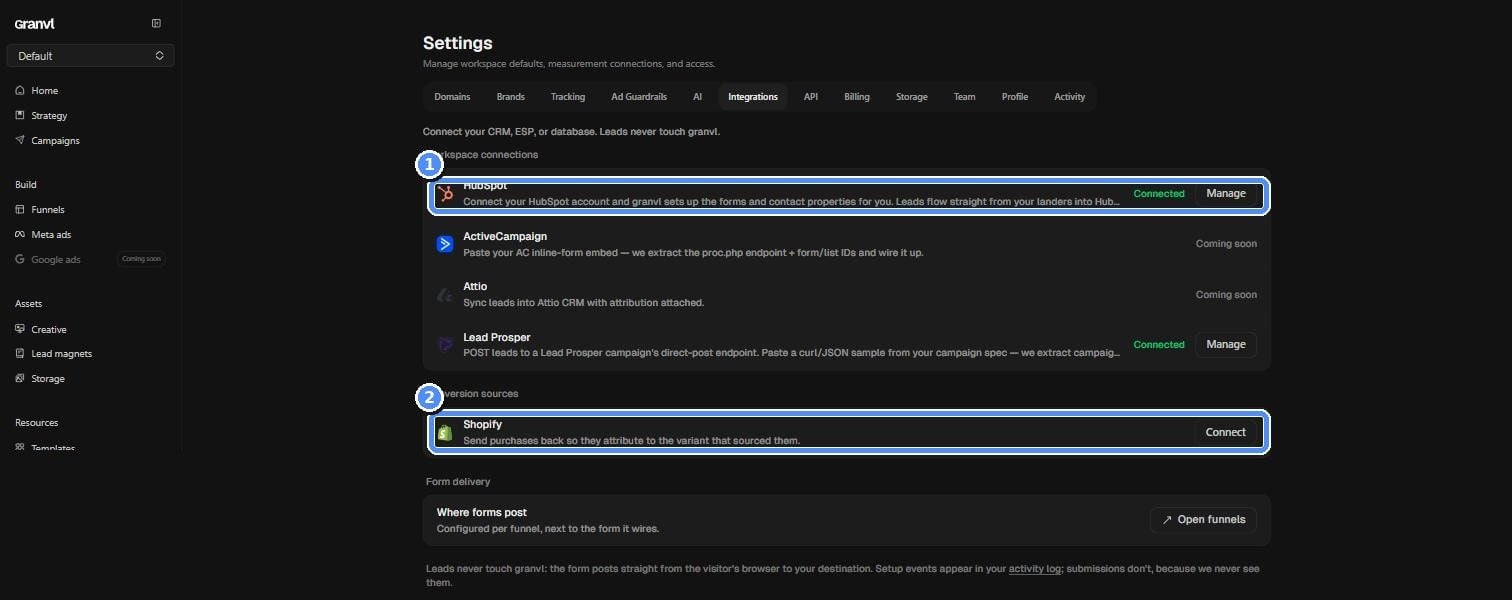
What to do. Add a form destination in the funnel’s Integrations tab: a webhook, CRM such as GHL or HubSpot, or a lead network such as LeadProsper.Why it matters. Submissions go directly from the visitor’s browser to your destination. granvl never stores their contents, so a funnel without a destination has nowhere to deliver its leads.
Settings, then Integrations: connect the destination that should receive form submissions
See Forms for mappings, delivery tests, and fallbacks.
7
Connect a domain
What to do. Add a domain under Settings → Domains and set the DNS records granvl shows you. Wait for the domain to report as connected before publishing to it.Why it matters. A funnel assigned to an unverified domain will not resolve. Domain setup also controls the logo, legal links, scripts, and security policy shared by pages on that domain.
Settings, then Domains: confirm the domain is connected before launch
8
Configure and test tracking
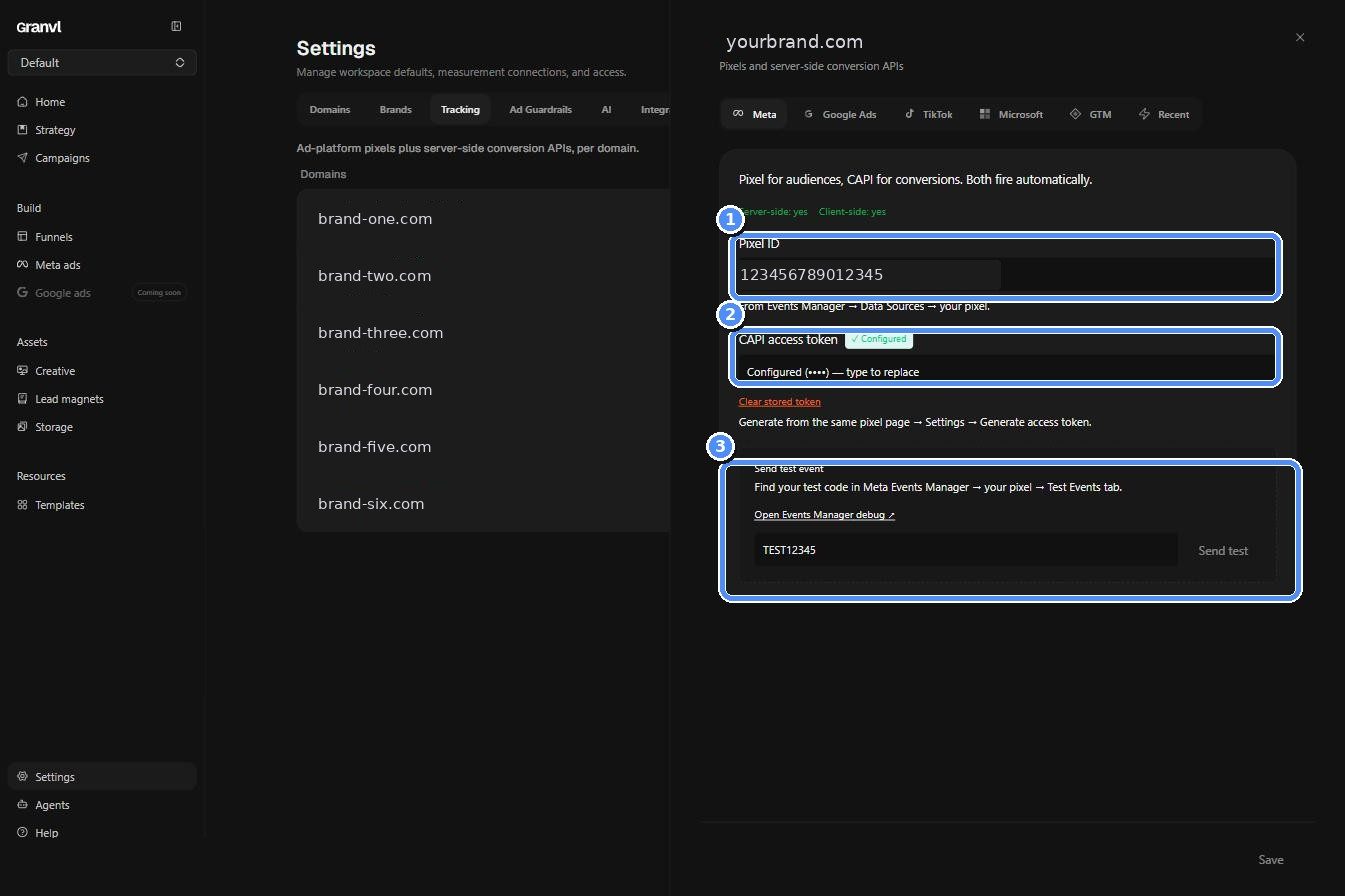
What to do. Open Settings → Tracking, choose the domain, and add the platform credentials you use. For Meta, add the Pixel ID and CAPI access token, then use Send test event.Why it matters. Tracking is configured once per domain and inherited by every page on it. A badly wired pixel usually under-reports silently, so a saved credential is not proof that events are arriving.
Tracking status is shown per domain and per platform
Send a test event through the platform's own debug tools
9
Publish the funnel
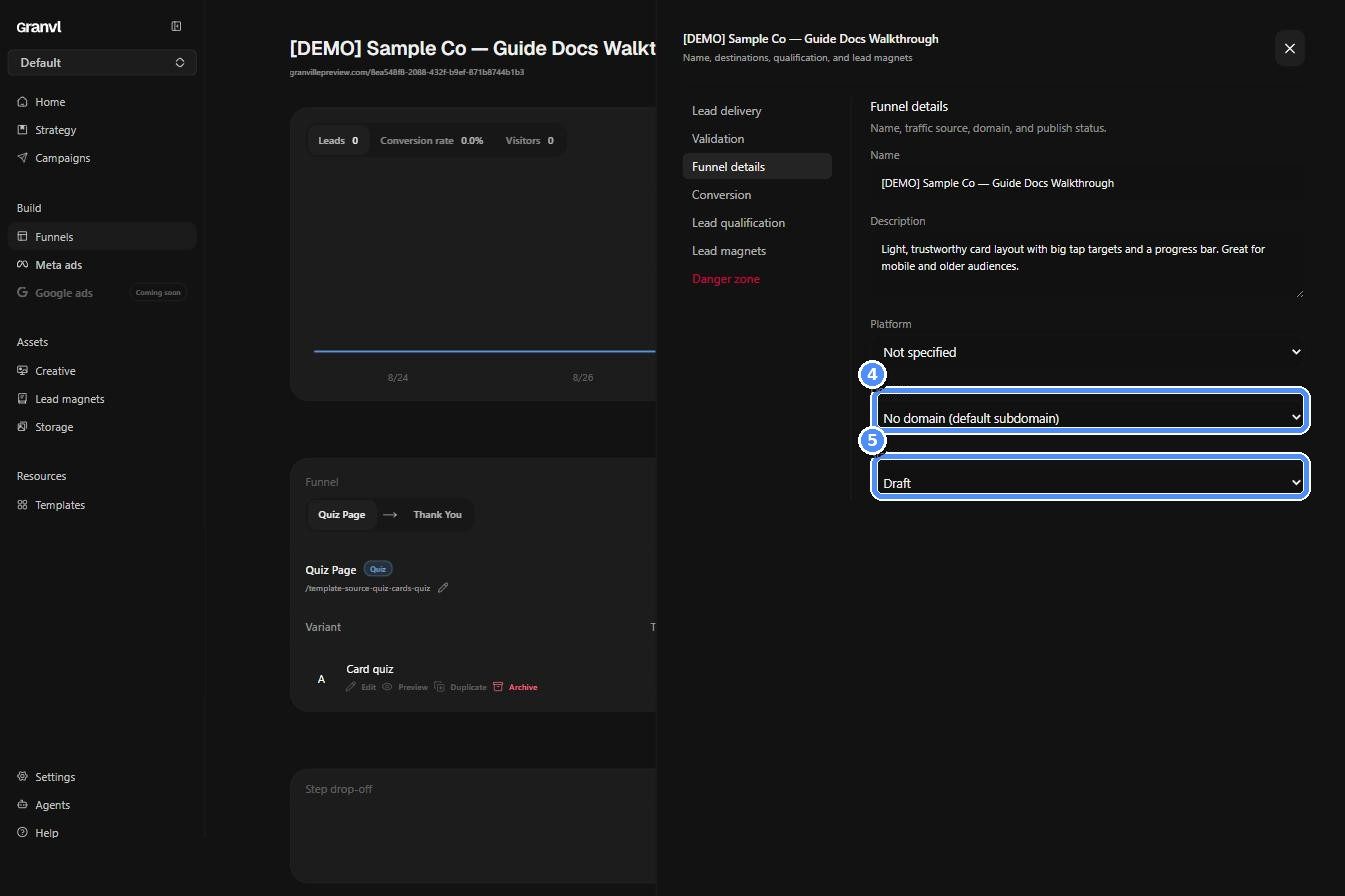
What to do. Open the funnel’s settings, pick the connected domain, and move the funnel from Draft to Active. Then use Copy URL & Meta UTMs on the funnel page to get a tracking-ready ad URL.Why it matters. Publishing is the boundary between a private draft and real traffic. The UTM template is what later joins ad spend to first-party conversions.
Funnel settings: choose a connected domain, then make the funnel active
10
Build a paused Meta campaign, if you are ready for paid traffic
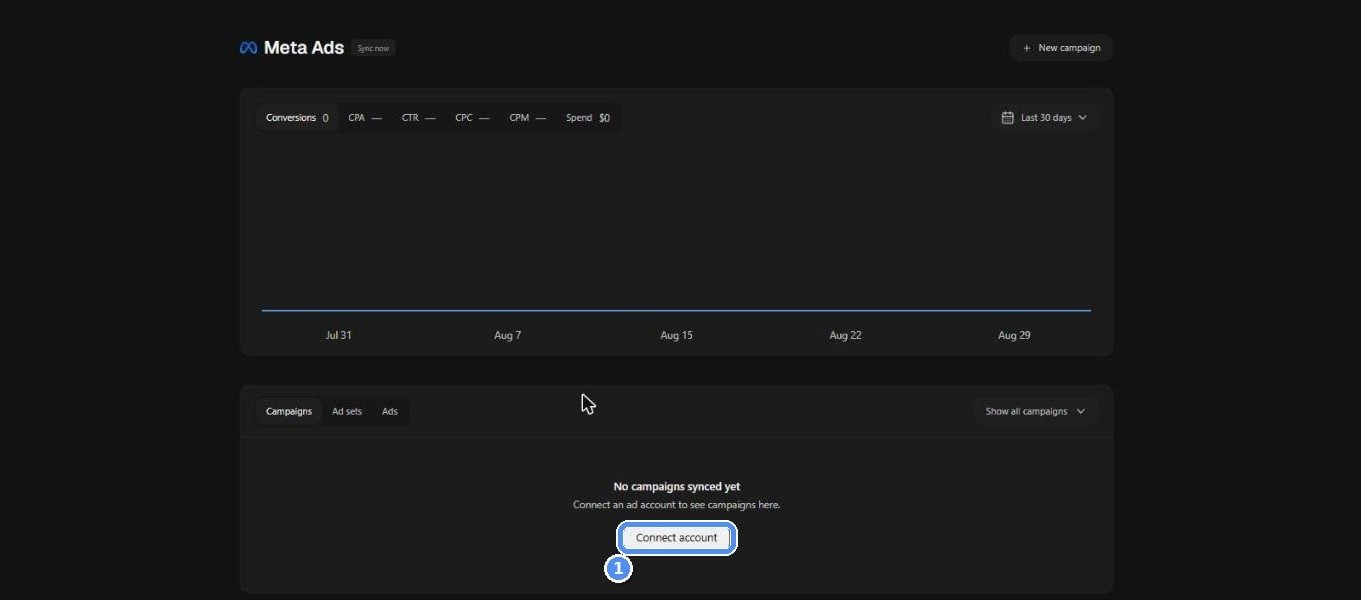
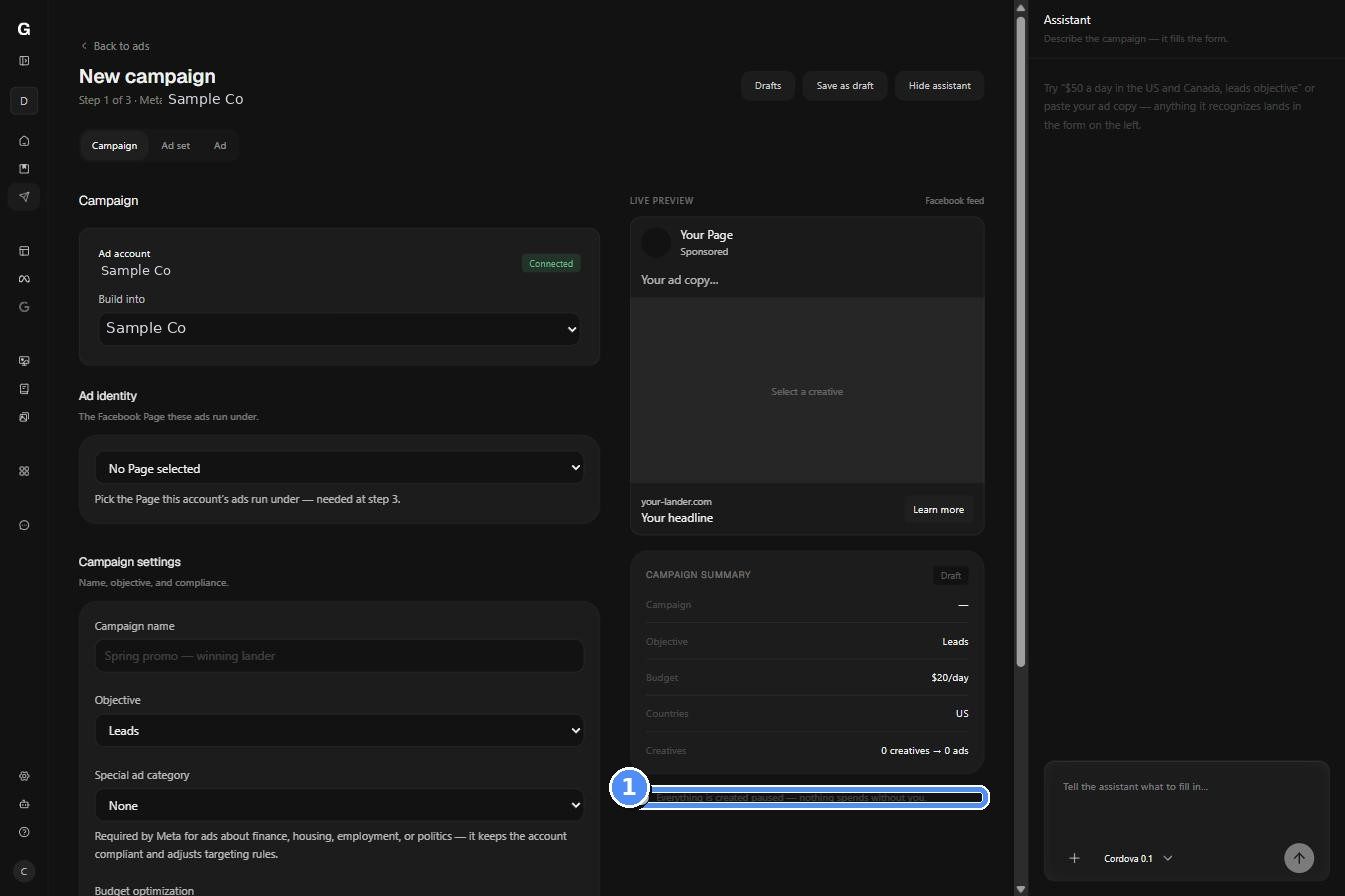
What to do. Open Meta ads, connect the account, then use New campaign or ask your agent to create the campaign, ad set, and ads against the funnel.Why it matters. The campaign is linked to the funnel from creation, which lets granvl place spend and platform-reported conversions beside its first-party outcomes. Every campaign granvl creates arrives paused.
Connect Meta through Meta's own login and consent screen
The campaign wizard builds the campaign with a live preview and keeps it paused
Meta is the live native ad channel. Google and Microsoft data can be brought in over MCP while their native channels are still coming.
11
Start an A/B test
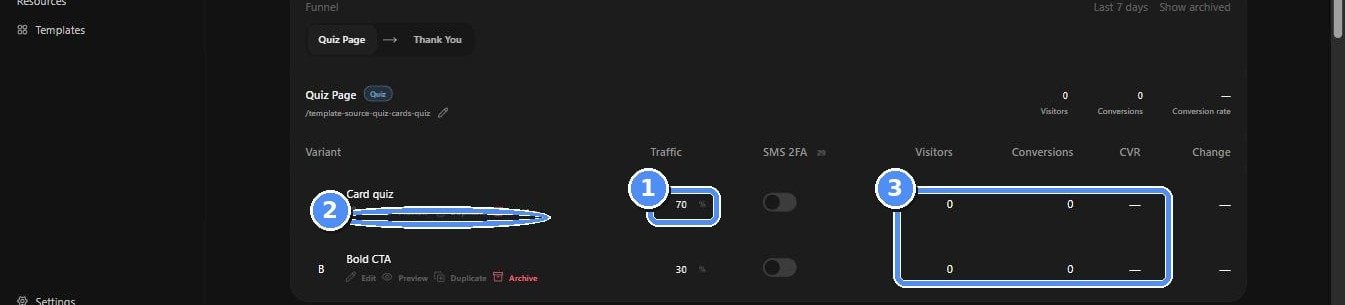
What to do. Duplicate a page variant, change one meaningful idea, and set the traffic weights. The weights must add up to 100.Why it matters. granvl keeps each visitor on the same assigned variant during the session and reports visitors, conversions, and conversion rate separately for each one.
One page, multiple variants, and traffic weights that total 100
What to do. Open the funnel and check leads, conversion rate, and visitors for the selected window. Then inspect the per-variant table and step-level drop-off.Why it matters. These are the same first-party numbers granvl uses before suggesting an optimization. Check them before changing copy or budget.
Every funnel opens on leads, conversion rate, and visitors
Before sending real traffic, ask your agent for a test-drive link. The complete flow runs, but nothing reaches your CRM and no ad-platform events fire. Run cleanup_test_data when you finish so the test rows do not remain in reporting.