

Which channels are live
Meta is live. Google and Microsoft are coming soon: you’ll see Google ads greyed out in the sidebar, and Microsoft hasn’t appeared yet. That doesn’t mean you’re blind on the other platforms in the meantime. Your agent can push spend and campaign structure from any platform into granvl over MCP, where it joins your first-party conversions exactly like a native sync. See Bringing in other platforms below.Connect Meta
Open Meta ads and click Connect account. You authenticate on Meta’s own login and consent screen, never with a granvl password, then pick which ad account to link. Tokens are stored encrypted, server-side only, and anything granvl creates on your ad account arrives paused, never live.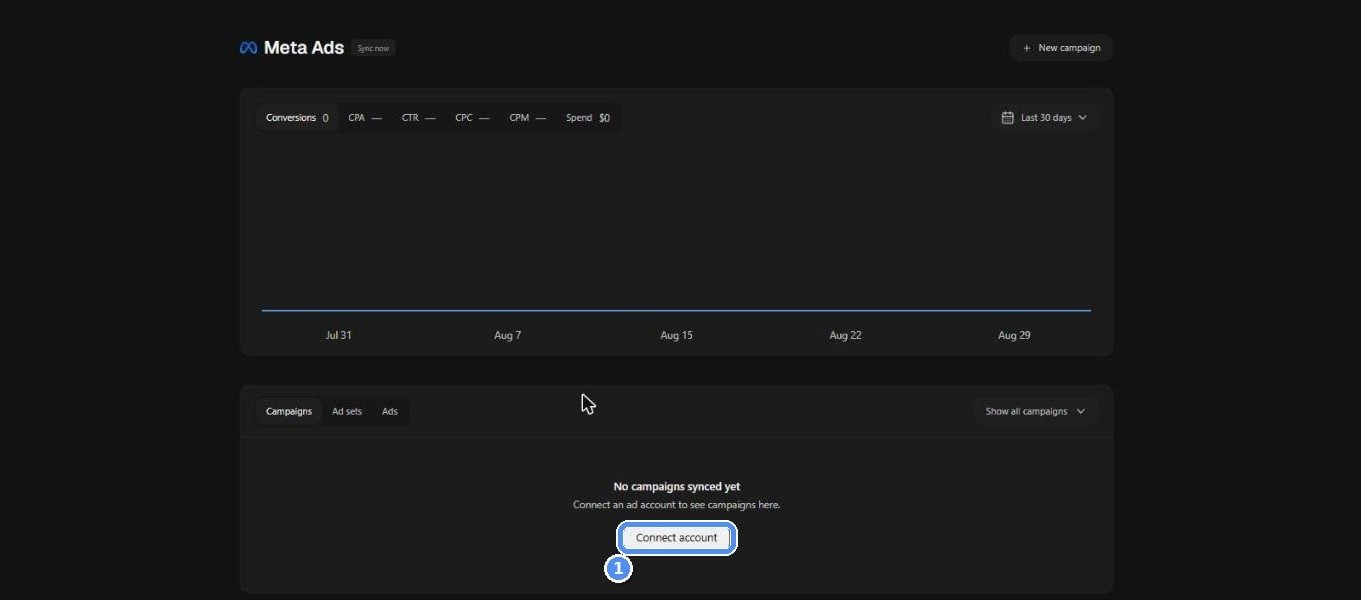
Meta ads before an account is linked: one Connect account button
Disconnecting an ad account revokes and deletes the stored tokens immediately. If you don’t reconnect within 7 days, the synced ads data is deleted automatically too.
Bringing in other platforms
Running Google or Microsoft elsewhere while you wait? Ask your agent to record your campaigns, ad sets, ads, and daily spend withrecord_ad_entities and record_ad_spend. Recorded spend lands in Campaigns like a native sync, joins the same first-party conversions, and feeds the same CPL and CPQL math.
It’s idempotent: re-recording a date range overwrites rather than double-counting, so re-pull the last few days each time to catch platform restatements.
Syncing
- Automatic: a daily sync pulls campaigns, ad sets, ads, creatives, and day-level spend for every connected account.
- Manual: hit Sync now on the Ads page after making changes on the platform. It runs in the background and the page updates when it lands (fresh data invalidates the caches immediately).
The ads tables
The Ads page (and each campaign hub) shows the campaign → ad set → ad tree with spend, impressions, CTR, CPM, CPC, platform conversions, granvl first-party conversions, conv %, and CPA. Winner badges mark the best CTR / conv % among siblings; health dots flag rows with tracking issues. Column headers sort. Click any ad (or its thumbnail) to open the creative modal: full-size preview (images and playable video), headline and body copy, CTA, destination URL, and delivery metrics.Joining spend to conversions
The join runs on UTMs. Use the funnel page’s Copy URL & Meta UTMs button as your ad’s destination URL (there’s a Google equivalent for when that channel opens). The template carries dynamic campaign, ad-set, and ad IDs that the platform fills at delivery, which is how a visitor’s session links back to the exact ad that paid for it. Tracking health audits this continuously: every campaign/ad-set/ad gets a verdict, and problems (missing UTMs, unlinked accounts, URL mismatches) surface with a suggested fix.An account can also be marked external (e.g. it drives a Shopify store, not your granvl funnels). It stays visible but is excluded from “not linked” warnings.
Building campaigns
Campaigns can be built two ways, and both arrive paused; going live is always your click in the platform’s own ads manager.- The wizard: New campaign walks campaign, ad set, and ad in one screen with a live preview and an assistant panel that fills the form from a plain-English description. Upload creatives inline, and save unfinished builds as drafts to resume later.
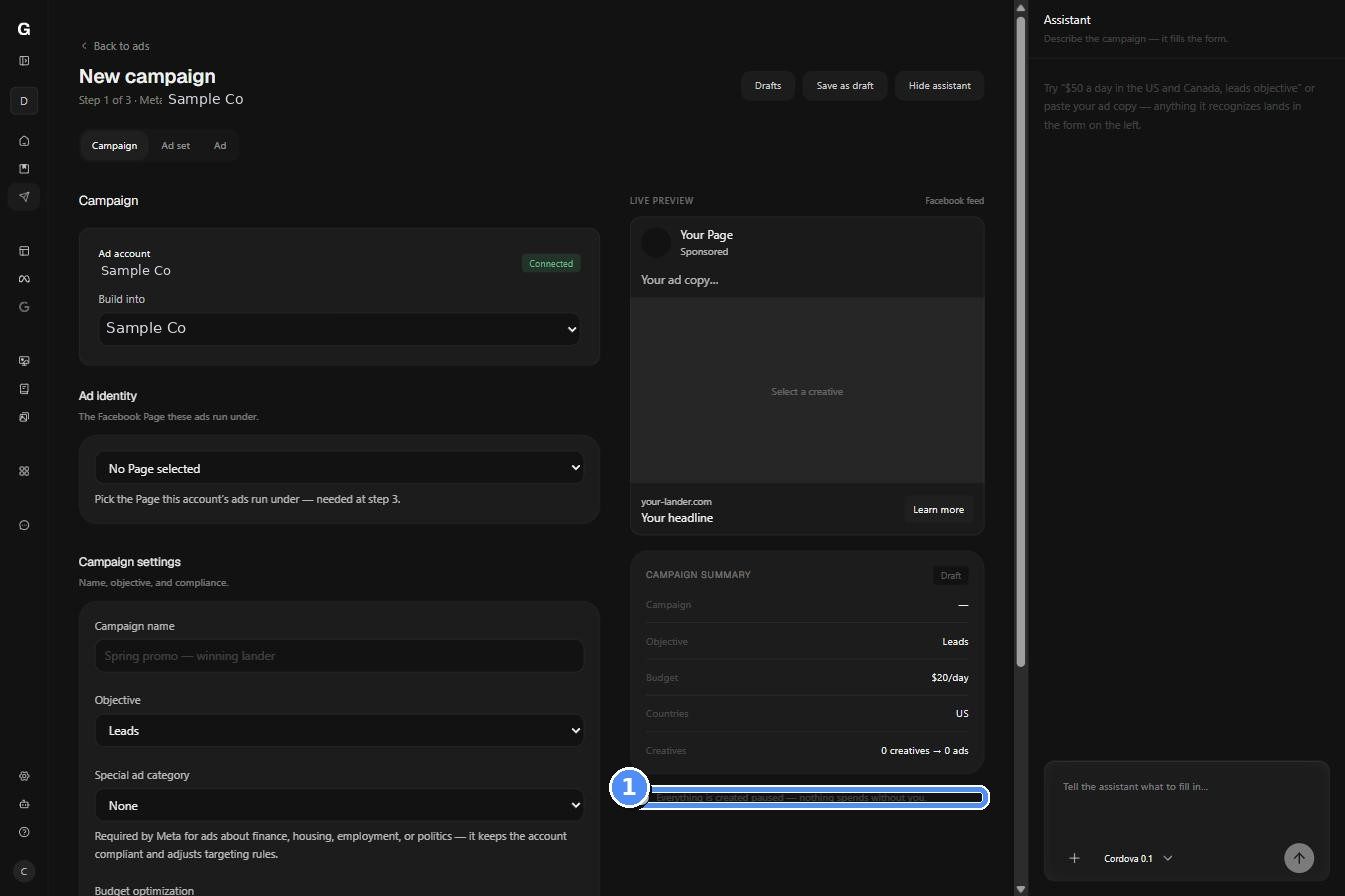
The campaign wizard: live preview on the right, everything created paused
- Your agent: the same builds over MCP, plus campaign drafts for handing a half-built campaign between agent and human.
list_meta_pages and set_ad_identity. To optimize toward conversions rather than clicks, pass a pixel from list_ad_pixels.
Diagnosing a campaign
Most ad questions are answerable without leaving your agent session, and reads come from granvl’s synced warehouse rather than a live vendor call, so they cost no reporting quota and are safe to call freely.- Which ad is actually working?
get_ad_breakdownsandget_spend_summarygive spend joined to first-party outcomes, not platform-modelled conversions. - Which lander converts an ad’s traffic best?
get_ad_to_lander_performancemaps each ad to the variants its traffic hit, with a confidence-gated winner. The same ad held constant is a clean experiment, so the difference is attributable to the page. - Which of these two ad sets is better, and why?
compare_ad_setsderives each side’s spend, impressions, link clicks, conversions, CPM, link CTR, CVR, and cost per conversion, then names the layer driving the gap. - Is anything mis-tracked?
get_ad_healthandget_tracking_healthgive a verdict per campaign, ad set, and ad, with the fix for each. - Is the creative fatiguing?
get_creative_performancereads delivery and outcomes per creative.
When an ads read comes back empty,
get_ad_data_status reports the actual reason: last successful sync, staleness, a sync in progress, the exact failure, a missing connection, or an empty warehouse. It never calls an ad network, so it’s the right first question rather than a retry.What lands with Google and Microsoft
The search channels bring a different toolkit, already built and waiting on the channels themselves:- Keywords and search terms. Per-keyword performance and history going back roughly 400 days, plus what people actually typed, which is the raw material for negatives. Microsoft uniquely reports the matched keyword per term, so you can see which keyword pulled which junk query.
- Budget versus ad rank. Impression-share history answers the only two questions that metric exists for: sustained loss to budget is the case for raising one; loss to rank points at bids, quality, or relevance instead.
- Conversion plumbing. A verdict on whether each conversion action or goal actually counts granvl leads, which is what “the platform shows zero conversions” usually turns out to be.
- B2B targeting on Microsoft. Microsoft owns LinkedIn, so it can bid-boost by LinkedIn company, industry, and job function, which no other search platform offers.
Guardrails
Spend limits live under Settings → Ad Guardrails and apply to anything created through granvl or your agent. There are three layers:
The per-account daily cap is checked against live spend: the account’s highest actual single-day total over the trailing 7 days, plus the budget being added. Paused drafts count as 100 budget with a 10% max raise can reach $110 in a single edit.

Settings, then Ad Guardrails: the ceiling an agent cannot raise