

The hierarchy
- A funnel is one marketing motion: a landing page and everything downstream of it (quiz, form, thank-you). Funnels belong to a domain and carry the settings that apply to the whole flow: form destinations, qualification rules, goal type.
- A page is one step in the funnel. Pages have a type that changes how tracking behaves:
- A variant is one version of a page’s HTML. Two or more variants on a page = an A/B test; granvl splits traffic between them by weight and tracks each separately.
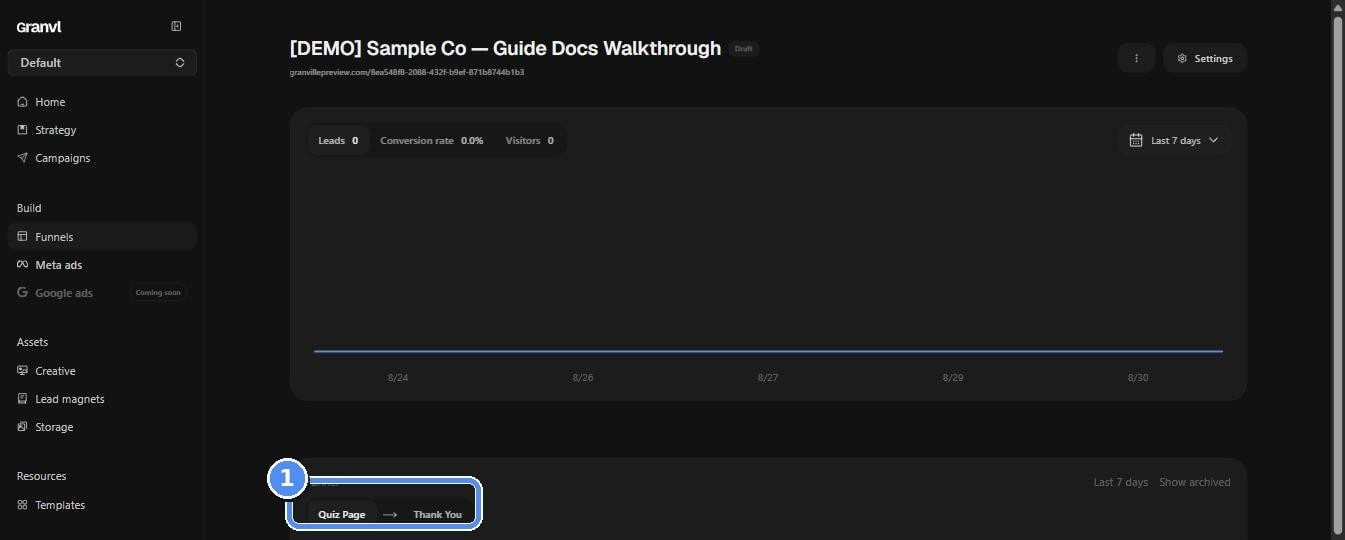
A funnel opens as a flow: each page, its type, and how visitors move through
Limits
Starting from a template
Templates in the sidebar holds granvl-authored, conversion-tested funnel starting points: quiz flows, landing pages, and more. Creating a funnel from one copies every page and variant into your workspace, unpublished and yours to edit. Your agent can browse withlist_templates, inspect one with get_template, and instantiate with create_funnel_from_template.
Lead magnets
Upload a PDF under Lead magnets and granvl hosts it on the funnel’s own domain at/d/{slug}. Storage also accepts HTML uploads, so an ebook that’s a page rather than a document can be hosted the same way. Link that URL from a thank-you page button or a MAGNET page. Downloads are ungated, meaning anyone with the URL can fetch it, and served downloads are counted. Agents use upload_lead_magnet and list_lead_magnets; for an HTML lead magnet, create a MAGNET page instead.
Publishing & preview
- Preview links are shareable, unauthenticated URLs for a work-in-progress page. Send one to a teammate or client before going live.
- Publishing bakes the page and serves it from your connected domain. Baked pages are cached at the edge, so serving doesn’t depend on the database being up.
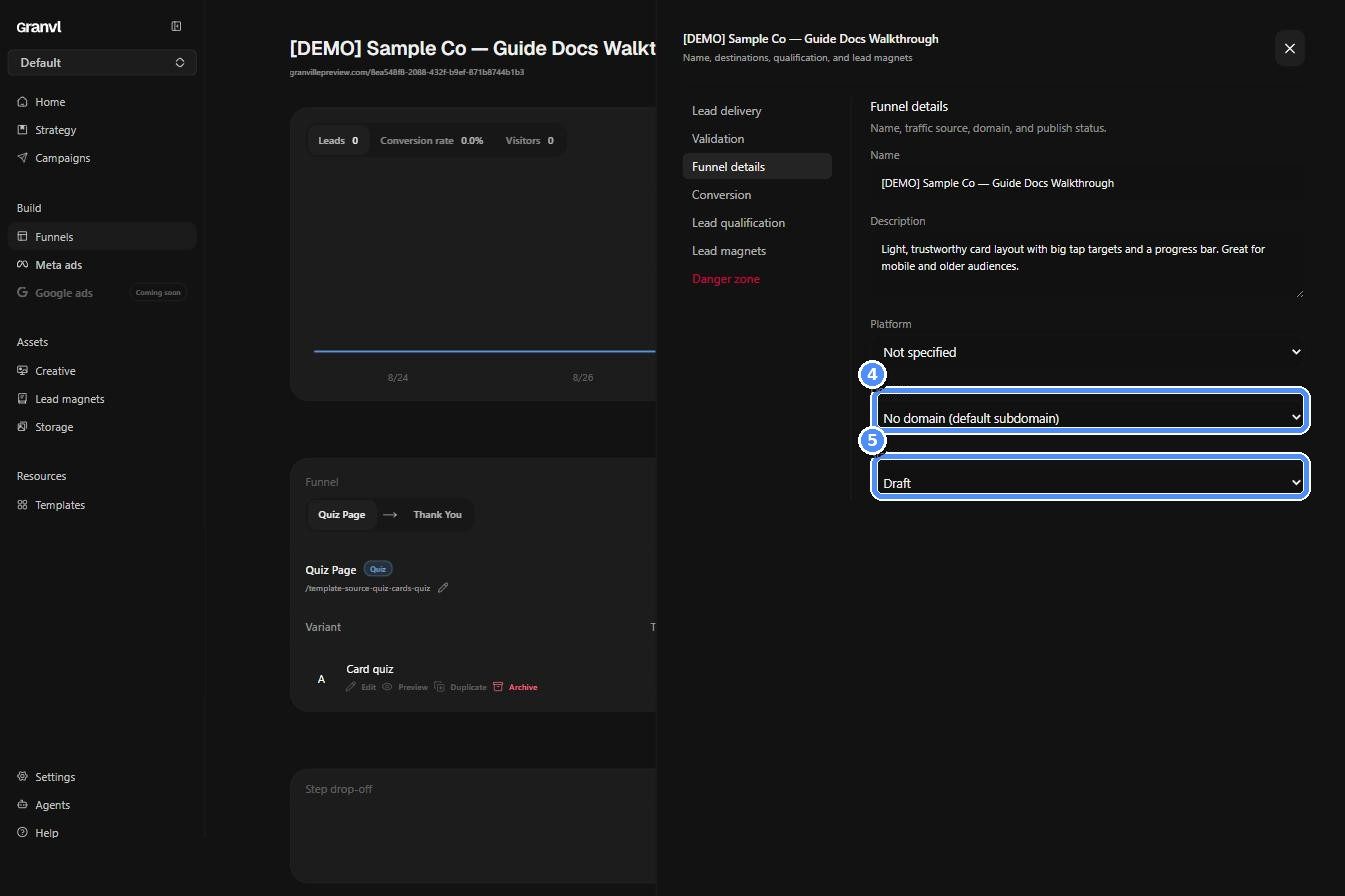
Funnel settings: pick a connected domain, then move Status from Draft to Active