

Destinations
Add destinations in the funnel’s Integrations tab. Supported out of the box:- Webhook (any URL), Zapier, Formspree
- CRMs: GoHighLevel, HubSpot, ActiveCampaign
- Supabase, Forms.app
- LeadProsper (lead distribution / ping-post)
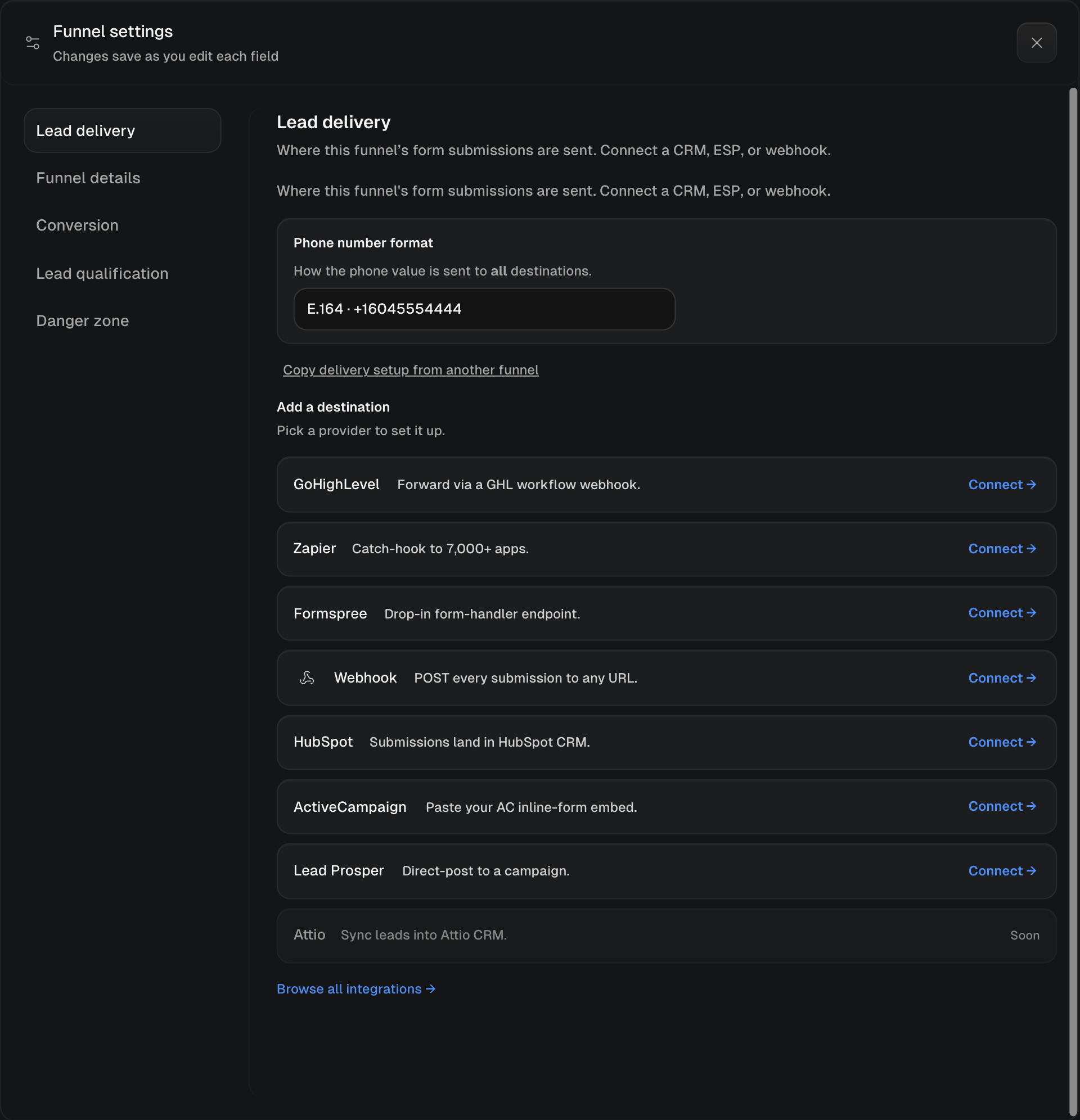
Pick a provider in the funnel settings Lead delivery screen
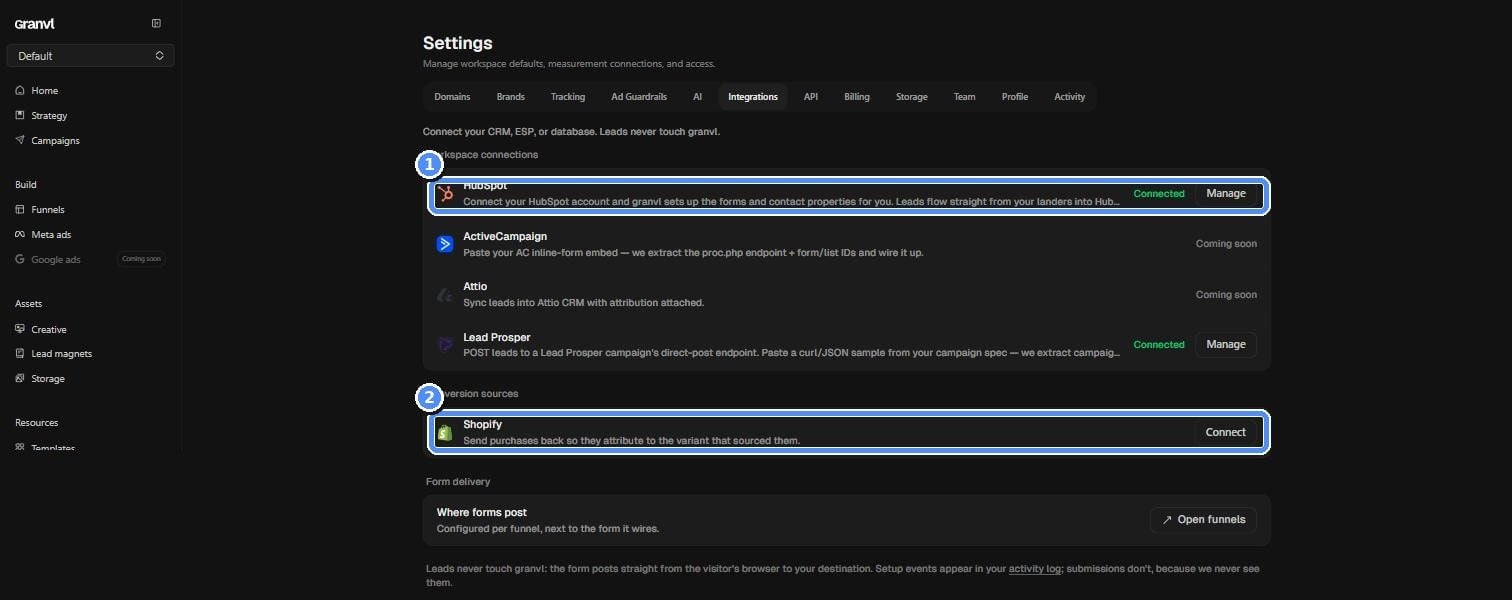
Settings, then Integrations: workspace connections and conversion sources
Zapier
Two ways to use Zapier:- The granvl Zapier app (recommended): hit Connect with Zapier in the funnel’s Lead delivery settings. It opens Zapier with a Zap pre-filled on the granvl New Lead trigger; pick your funnel, add your action steps, and the moment you turn the Zap on, delivery wires itself onto the funnel. No URLs to copy. While the app is in private access you’ll accept an invite link once, offered in the same flow.
- Catch Hook (classic): paste a Zapier Catch Hook URL as a destination, available under Advanced in the same screen.
Send a test lead
For GoHighLevel and Webhook destinations, the setup screen has a Send test lead button. It fires an obviously-fake payload at your endpoint carrying every form field from every variant on the funnel, so even fields only one variant asks are present. Use it to confirm the endpoint works and to map fields on the receiving side; the success message lists exactly which fields were sent. Agents can do the same over MCP withsend_test_lead.
GoHighLevel needs this: its Inbound Webhook trigger waits for a sample request before its field mapper offers anything. Send the test lead, map the fields in your GHL workflow, publish the workflow, done.
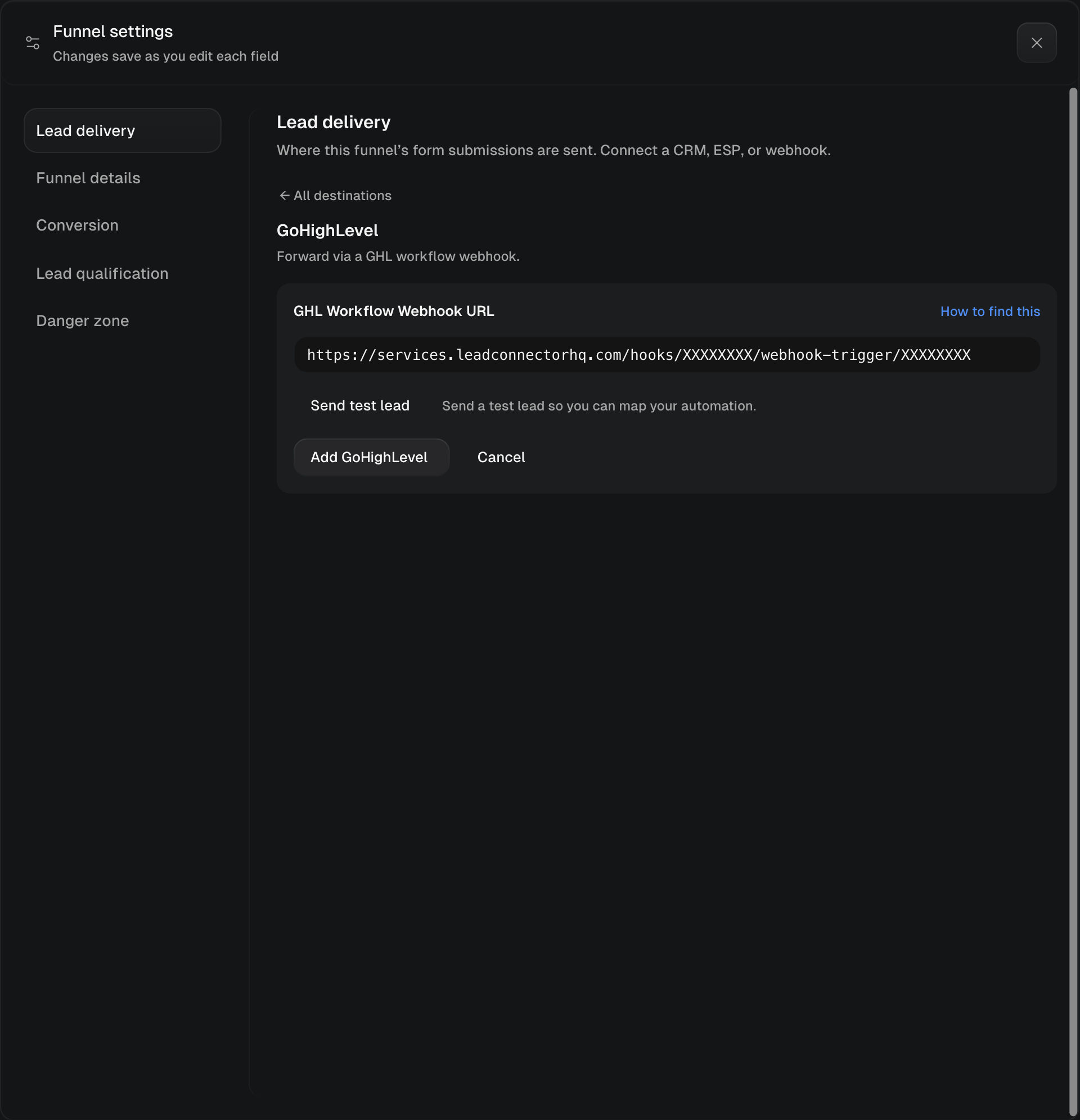
Paste the GHL webhook URL, then Send test lead
LeadProsper
Two-tier setup for lead sellers:- Team-level: connect your LeadProsper dev API key under the Integrations settings (stored encrypted).
- Per-funnel: pick a campaign → supplier, then map your form’s field names to LeadProsper’s. granvl resolves the supplier credentials into the form automatically.
Phone formatting
Different destinations want phone numbers in different shapes. Set the funnel’s phone format (E.164+16503271100, 10-digit, parentheses, or dashes) in the Integrations tab and granvl formats the phone field at serve time for every destination. Don’t hand-format numbers in your page HTML.
Filtering junk before it arrives
Four independent controls in the funnel’s Validation settings stop fake leads reaching your destinations at all: silent phone and email checks, a work-emails-only gate, and texted 2FA verification. All of them fail open, so they can never block a real lead. See Lead validation.Qualification
Define a qualification rule per funnel (e.g. “state is CA and loan balance > $200k”) and granvl scores every lead against it without ever storing the answers. Qualified counts and cost-per-qualified-lead then appear throughout analytics. The full picture, including the CRM webhook that closes the loop on deal values, is in Lead qualification.Redirects
Give the form a_next field pointing at your thank-you page. granvl carries conversion attribution through the redirect automatically: the thank-you arrival credits the page (and variant) that hosted the form.