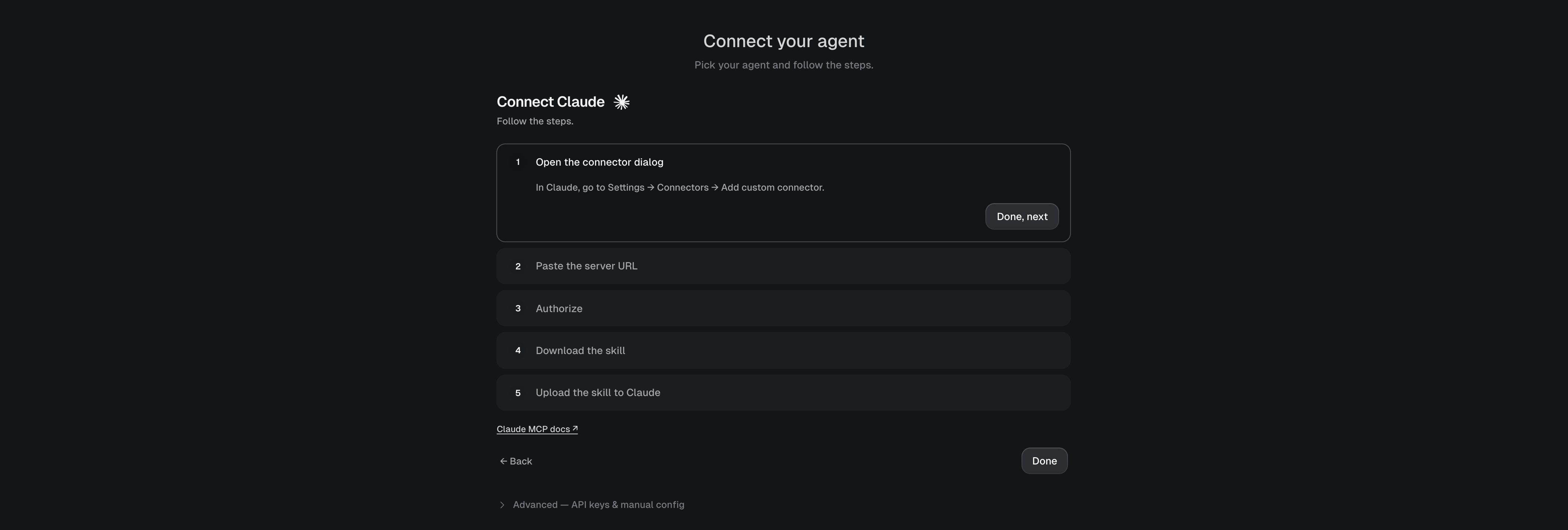
Connecting the MCP server gives your agent granvl’s tools. The granvl skill gives it the knowledge to use them well: how forms must be wired, how tracking works, which steps to take in which order, and the guardrails that keep tests clean. Without it, agents guess; with it, the first page they build tracks correctly. The in-app connect flow (onboarding, or Agents in the dashboard) walks you through this per client. The short version:
The Agents page walks the connect + skill steps one at a time

The Agents page walks the connect + skill steps one at a time

Download the skill ZIP from the connect flow, then in Claude open Settings → Capabilities and upload it. Done: the skill loads in every chat.

Checking it worked

Ask your agent:
A correctly installed agent replies starting with the exact phrase “Granvl skill ready”. Anything else means the skill isn’t loading; re-run the install for your client above.

It updates itself

You never re-download the skill. The MCP server exposes a get_skill tool that returns the latest version, and the skill instructs agents to refresh themselves when a newer version exists. Ship-day changes reach your agent automatically.