granvl’s own analytics need no pixels. When you also want the ad platforms to hear about your conversions (for their bidding algorithms, or your own reporting), configure tracking per domain under Settings → Tracking: granvl injects and fires everything for you, and never asks you to paste snippet code into a page.

Supported platforms

Secrets are stored encrypted and shown as set/not-set, never echoed back.

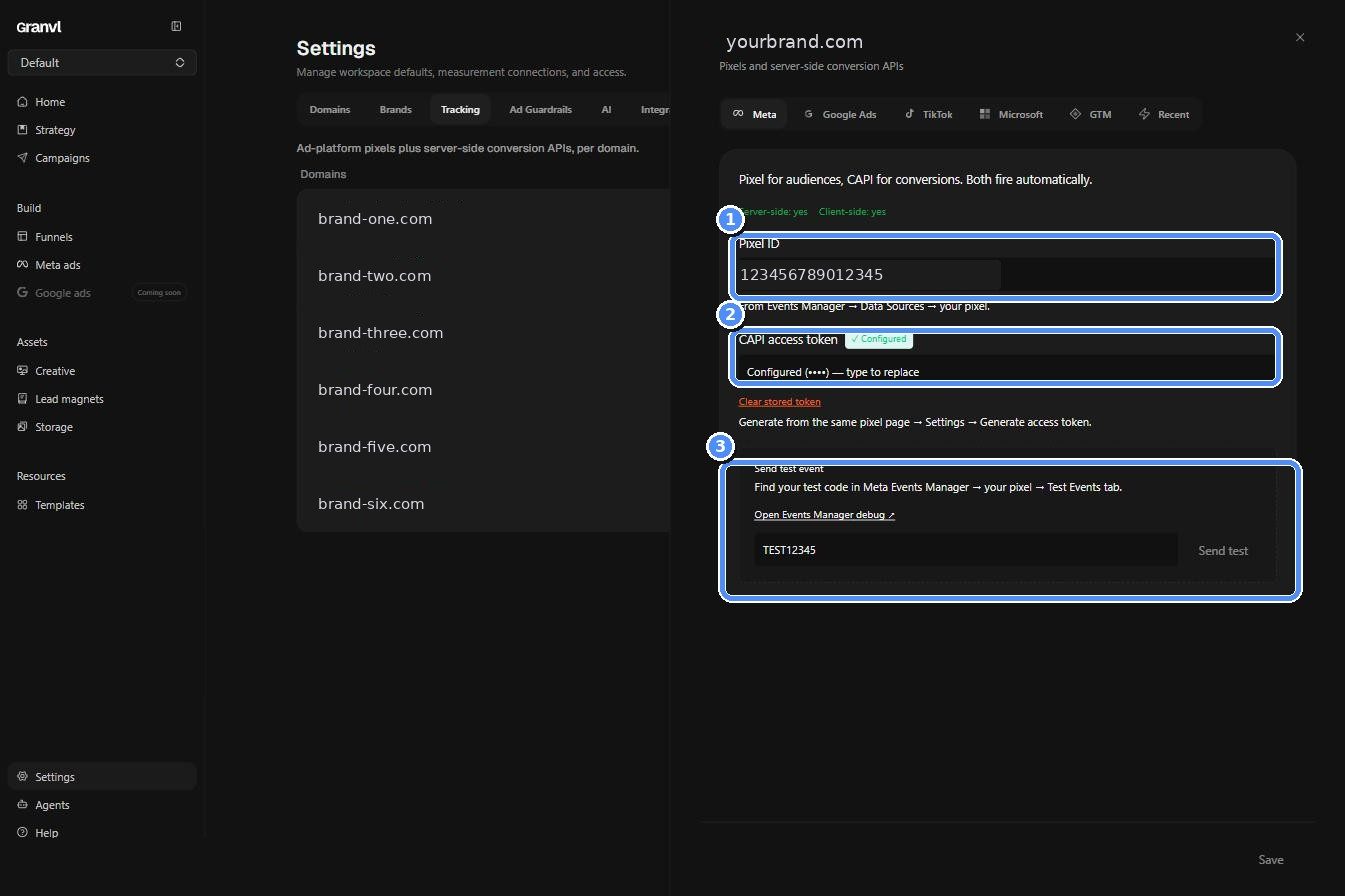
Per-domain tracking configuration in Settings

Per-domain tracking configuration in Settings

Why not paste snippets?

  • Injection is interaction-gated: pixels load after the visitor interacts, protecting your page speed scores.
  • Server-side events (CAPI and friends) can’t be pasted into HTML at all; they need a server, and granvl is that server, firing them with the same session identity as the browser events so platforms deduplicate correctly.
  • Configuration is auditable in one place instead of buried in page HTML across variants.
Agents are instructed never to paste ad-platform snippets into page HTML for the same reasons. For genuinely custom scripts (chat widgets, tools granvl doesn’t support natively), use the domain’s Custom scripts slots; see Domains.

Verifying

After saving credentials, hit Send test event (or ask your agent to run test_tracking_pixel). granvl fires a test conversion at Meta, GA4, and TikTok and reports each platform’s response, so you know the credentials work before spending on traffic. Every real conversion fire is also logged per domain with the platform’s response, so a revoked token or misconfigured pixel shows up as failed fires rather than a silent gap in your platform reporting.
UTMs are separate

Pixels report conversions to the platforms. Joining platform spend to your first-party conversions inside granvl runs on UTMs instead; see Ads. You want both: UTMs for truth in your dashboard, conversion APIs to feed the platforms’ bidding.