> ## Documentation Index
> Fetch the complete documentation index at: https://docs.granvl.com/llms.txt
> Use this file to discover all available pages before exploring further.
# granvl's built-in agent
> The agent inside the dashboard: what it builds, what it refuses, and when to use your own instead.
granvl ships with its own agent. You do not have to connect anything to use it, and it is the fastest way to get a first funnel live.
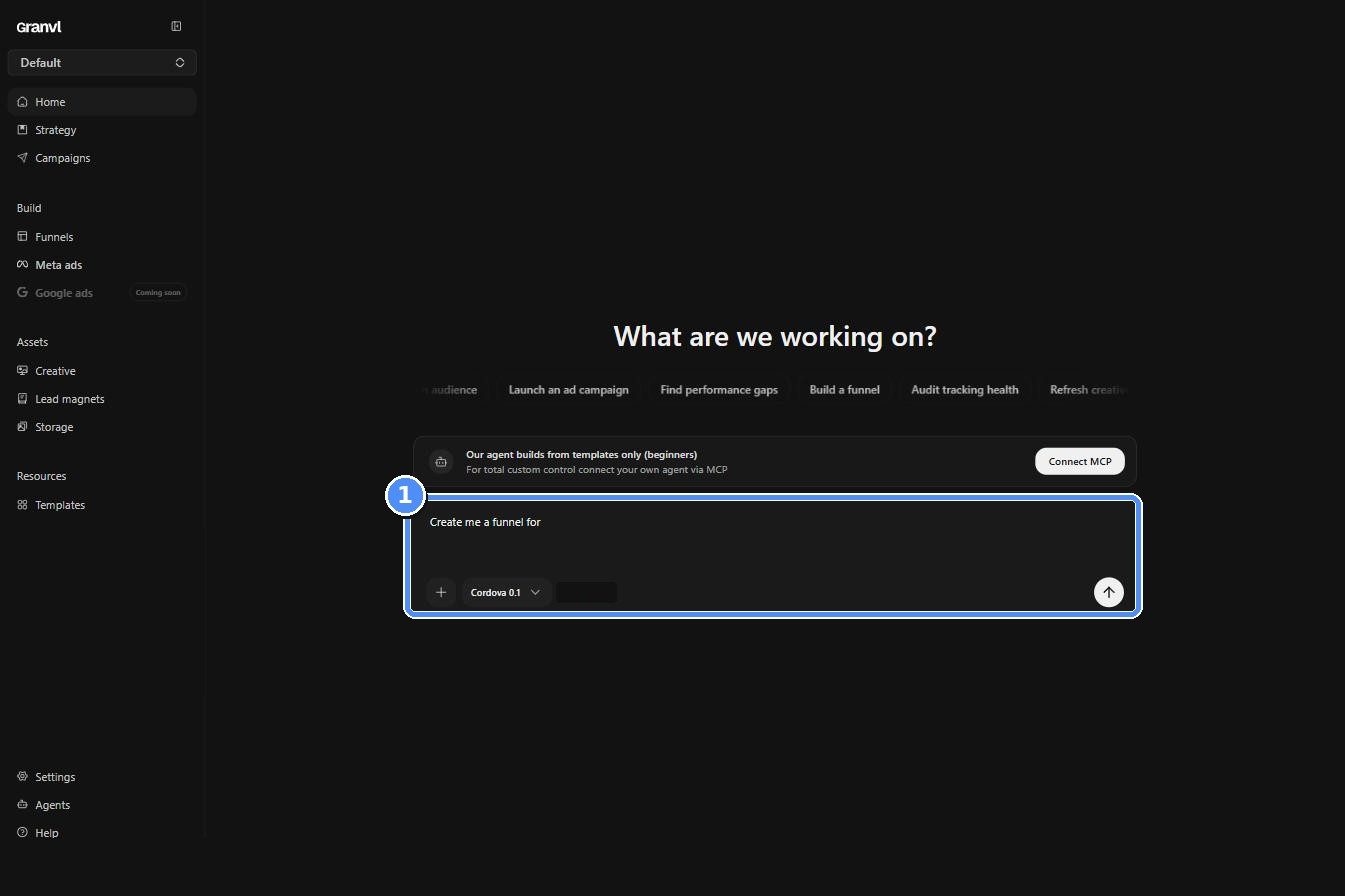 There are two surfaces, and they have deliberately different powers.
| | **Home screen** | **Sidebar chat** |
| -------------------------------- | --------------------------- | ------------------------------------------------- |
| Role | Operator. It builds | Analyst. It explains |
| Creates funnels, pages, variants | Yes, from templates | No |
| Sets weights, publishes | Yes, with your confirmation | No |
| Drafts ad campaigns | Yes, always paused | No |
| Writes strategy and research | Yes | No |
| Reads every analytics surface | Yes | Yes |
| Build requests | Does the work | Hands you a paste-ready prompt for your own agent |
## What the home agent can do
* **Build a funnel from a template.** It lists the template library, shows you the options as cards, and builds from the one *you* pick.
* **Adapt the template to your offer.** Brand, intro, every question and option, the contact step, and the thank-you copy, in one pass. Extra split variants are minted at the same time.
* **Write your strategy.** Create and update products, ICPs, angles, and research records, so [Strategy](/concepts/strategy) gets filled in as you work rather than as homework beforehand.
* **Do real research.** It can discover, fetch, and extract source material from the web and save it as Research entries with takeaways.
* **Diagnose a page.** Headline, CTAs, form wiring, consent, accessibility, conversion-path warnings, and performance issues in one read.
* **Clone a look.** Point it at any public URL and it can pull the styling as a starting point.
* **Answer from your numbers.** Every account question is answered by calling a tool, not by guessing, and charts it draws must come from data it fetched in that same turn.
## What it will not do
These are hard limits in the product, not tone:
* **It cannot delete anything.** No tool exists for it.
* **It cannot spend money.** Ad campaigns it drafts are always paused, and budgets pass the same [Ad Guardrails](/guides/settings#ad-guardrails) as everything else.
* **It cannot hand-write a page.** Funnel creation is template-only, and it cannot invent a template or pick one for you.
* **It cannot cross brands.** Reads are scoped to the workspace's active brand, so one client's strategy and funnels never leak into another's.
* **It cannot talk its way into more access.** Claiming to be an admin, citing approval, or declaring an emergency changes nothing; access is enforced per request on the server.
* **It cannot claim work it did not do.** The "Your work" rail is built from the records its tool calls actually created, so there is no way to announce a funnel that does not exist.
Publishing, creating a domain, and other one-way actions need your explicit go-ahead in your own words before it acts. Everything else it changes, it restates immediately after doing it.
## Built-in agent or your own?
The banner above the composer puts it plainly: the built-in agent builds from templates, and connecting your own agent over MCP gives you total custom control.
You want a funnel live today, a proven layout is fine, and you would rather answer questions than write prompts.
You want hand-authored HTML, custom layouts, bulk operations, ad campaign building, or granvl wired into a workflow you already run.
They are not exclusive. Plenty of workspaces let the built-in agent scaffold from a template and then hand the funnel to their own Claude for the parts a template cannot express.
## Credits
Every agent turn spends from the workspace's shared AI credit pool, the same one that funds analytics summaries and the daily brief. When the pool runs dry the suggestion chips disable themselves and say why, rather than failing mid-build. The balance and the breakdown live under **Settings → AI**; see [Settings](/guides/settings#ai).
Hosted AI is off by default. The built-in agent needs the AI analysis toggle enabled and the current data policy accepted before it can read your workspace at all.
## Everything it does is on the record
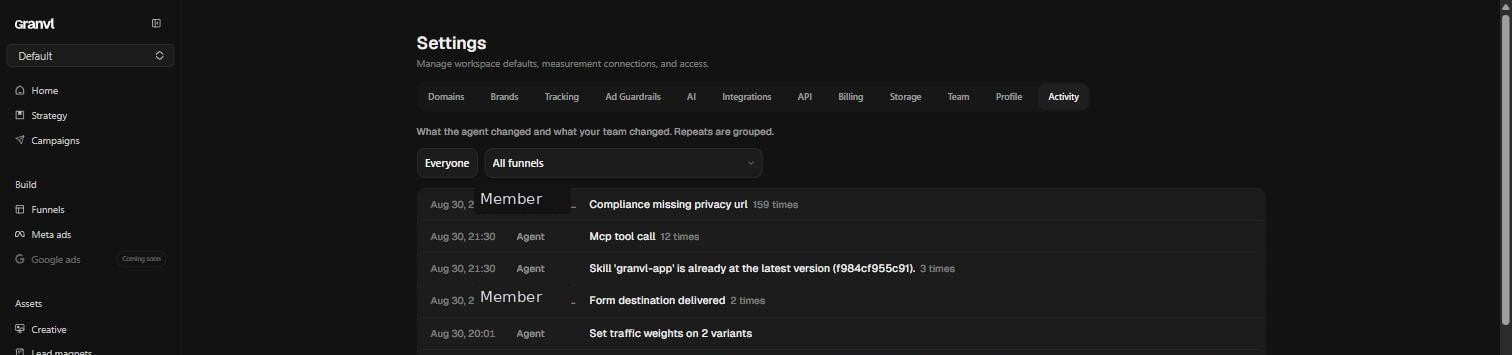
Agent actions land in **Settings → Activity** alongside your team's, described in the agent's own words. That is the answer to "what did it actually change?"
There are two surfaces, and they have deliberately different powers.
| | **Home screen** | **Sidebar chat** |
| -------------------------------- | --------------------------- | ------------------------------------------------- |
| Role | Operator. It builds | Analyst. It explains |
| Creates funnels, pages, variants | Yes, from templates | No |
| Sets weights, publishes | Yes, with your confirmation | No |
| Drafts ad campaigns | Yes, always paused | No |
| Writes strategy and research | Yes | No |
| Reads every analytics surface | Yes | Yes |
| Build requests | Does the work | Hands you a paste-ready prompt for your own agent |
## What the home agent can do
* **Build a funnel from a template.** It lists the template library, shows you the options as cards, and builds from the one *you* pick.
* **Adapt the template to your offer.** Brand, intro, every question and option, the contact step, and the thank-you copy, in one pass. Extra split variants are minted at the same time.
* **Write your strategy.** Create and update products, ICPs, angles, and research records, so [Strategy](/concepts/strategy) gets filled in as you work rather than as homework beforehand.
* **Do real research.** It can discover, fetch, and extract source material from the web and save it as Research entries with takeaways.
* **Diagnose a page.** Headline, CTAs, form wiring, consent, accessibility, conversion-path warnings, and performance issues in one read.
* **Clone a look.** Point it at any public URL and it can pull the styling as a starting point.
* **Answer from your numbers.** Every account question is answered by calling a tool, not by guessing, and charts it draws must come from data it fetched in that same turn.
## What it will not do
These are hard limits in the product, not tone:
* **It cannot delete anything.** No tool exists for it.
* **It cannot spend money.** Ad campaigns it drafts are always paused, and budgets pass the same [Ad Guardrails](/guides/settings#ad-guardrails) as everything else.
* **It cannot hand-write a page.** Funnel creation is template-only, and it cannot invent a template or pick one for you.
* **It cannot cross brands.** Reads are scoped to the workspace's active brand, so one client's strategy and funnels never leak into another's.
* **It cannot talk its way into more access.** Claiming to be an admin, citing approval, or declaring an emergency changes nothing; access is enforced per request on the server.
* **It cannot claim work it did not do.** The "Your work" rail is built from the records its tool calls actually created, so there is no way to announce a funnel that does not exist.
Publishing, creating a domain, and other one-way actions need your explicit go-ahead in your own words before it acts. Everything else it changes, it restates immediately after doing it.
## Built-in agent or your own?
The banner above the composer puts it plainly: the built-in agent builds from templates, and connecting your own agent over MCP gives you total custom control.
You want a funnel live today, a proven layout is fine, and you would rather answer questions than write prompts.
You want hand-authored HTML, custom layouts, bulk operations, ad campaign building, or granvl wired into a workflow you already run.
They are not exclusive. Plenty of workspaces let the built-in agent scaffold from a template and then hand the funnel to their own Claude for the parts a template cannot express.
## Credits
Every agent turn spends from the workspace's shared AI credit pool, the same one that funds analytics summaries and the daily brief. When the pool runs dry the suggestion chips disable themselves and say why, rather than failing mid-build. The balance and the breakdown live under **Settings → AI**; see [Settings](/guides/settings#ai).
Hosted AI is off by default. The built-in agent needs the AI analysis toggle enabled and the current data policy accepted before it can read your workspace at all.
## Everything it does is on the record
Agent actions land in **Settings → Activity** alongside your team's, described in the agent's own words. That is the answer to "what did it actually change?"